In IGB you can save sessions that preserve your loaded data and track styling. The IGB session, saved as an XML file, can be loaded later so you can resume your work.
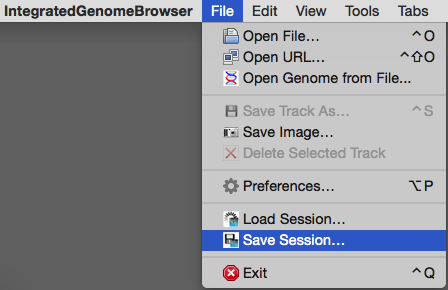
The Save Session... feature allows you to save the following:
- Genomic Location
- Loaded Data
- Track Names
- Track Foreground and Background Color
- Track Label Color
- Track Label Font Size
- Annotation Label Field
Saving a Session
To save a session, select File > Save Session.... You will then be able to save your IGB session (as an XML file) to a desired location on your computer.
Loading a Session
To load a session, select File > Load Session.... Select your saved IGB session and choose Open to load your session into IGB.
Note that sessions do not save custom genome (a genome not in IGB by default) information. The next time you start IGB, you will need to first load the custom genome before loading the session. If frequently using custom genomes, we recommend creating a Quickload as it does not need to be added each time you start IGB. See Sharing data for a custom genome not already part of IGB QuickLoad